 ASO Studio
Your App Store data, on the go
The moments that matter for an app rarely happen at your desk. Your numbers should be in your pocket, and readable in the time it takes to glance at them.
The short answer
App Review, launch day and a slipping rank all move on their own schedule. The developer who sees them first acts first: a rejection fixed the same evening, a keyword defended the day it slips, a launch watched as it lands. That only works if the numbers read at a glance. One board, plain words, this week against the last. A figure buried three tabs deep in a dashboard built for a wide screen does not get checked, however accurate it is.
See ASO Studio Connect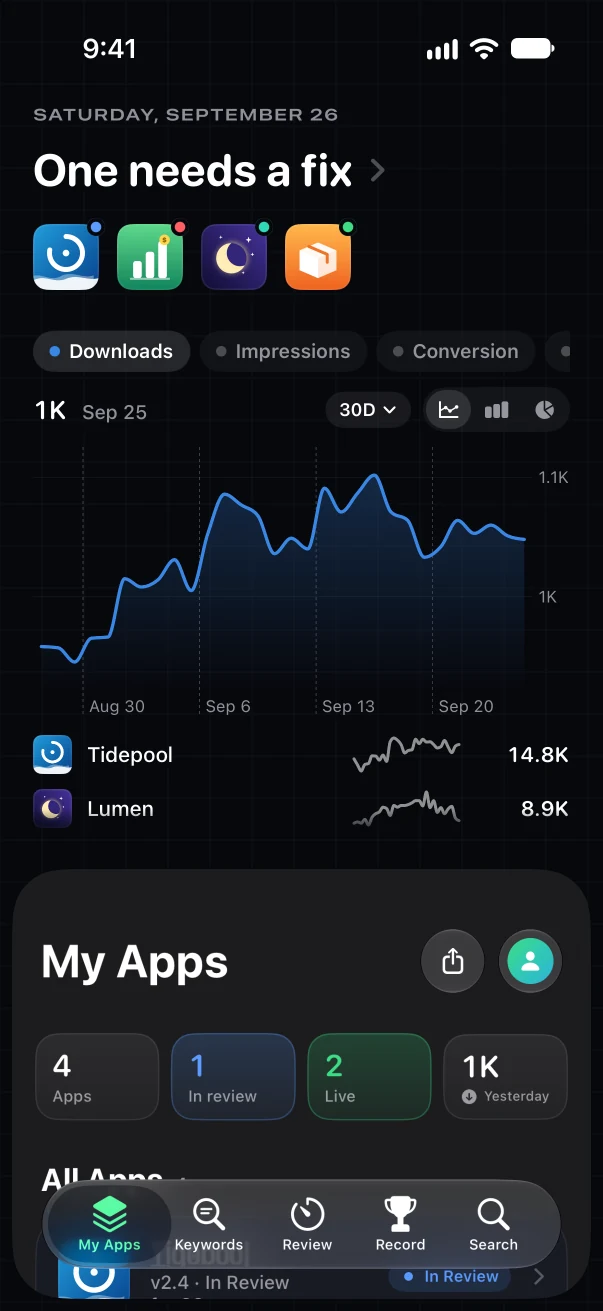
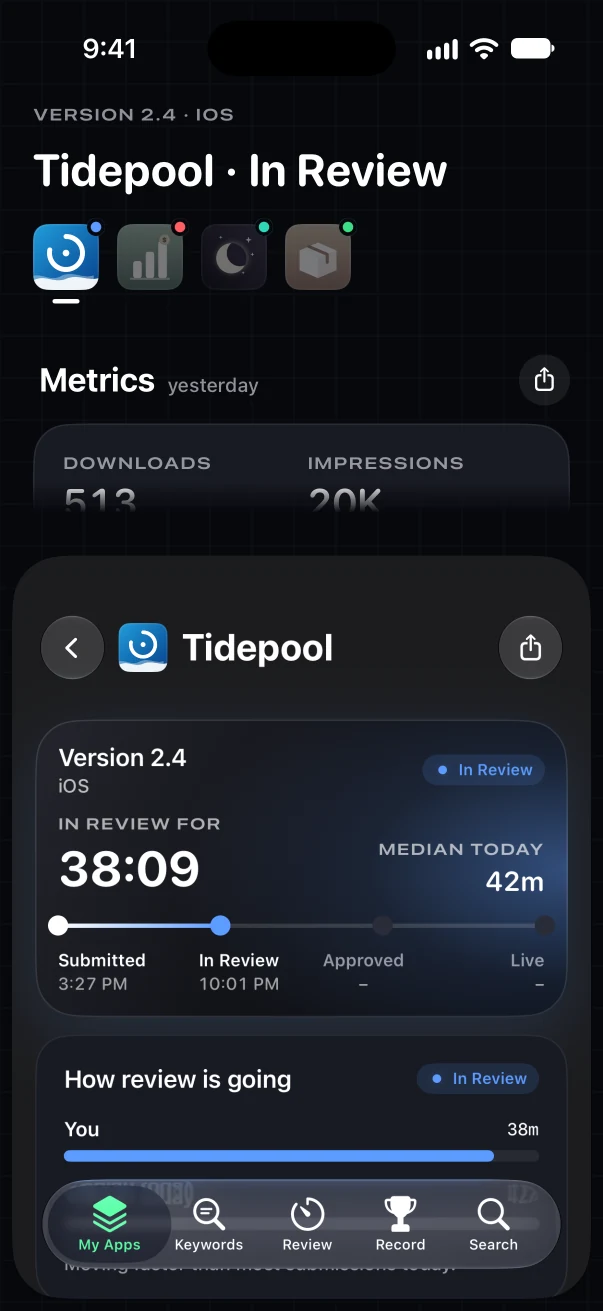
Every app and its downloads on one board, and a build in review timed against today's median.
Why it matters
Six moments you want to catch.
Each one is cheap to act on the hour it happens and expensive a week later.
- 01
App Review does not wait for your desk
A build moves into review, out of it or back rejected at any hour. Knowing the minute it happens means the fix goes in the same evening instead of the next morning.
A push and a Lock Screen timer for every status change.
- 02
Launch day happens wherever you are
The first hours after a release are when downloads, ratings and ranks move fastest. They are also the hours you are least likely to be sitting at a Mac.
One board with every app's status and yesterday's numbers.
- 03
A number you cannot read is one you do not check
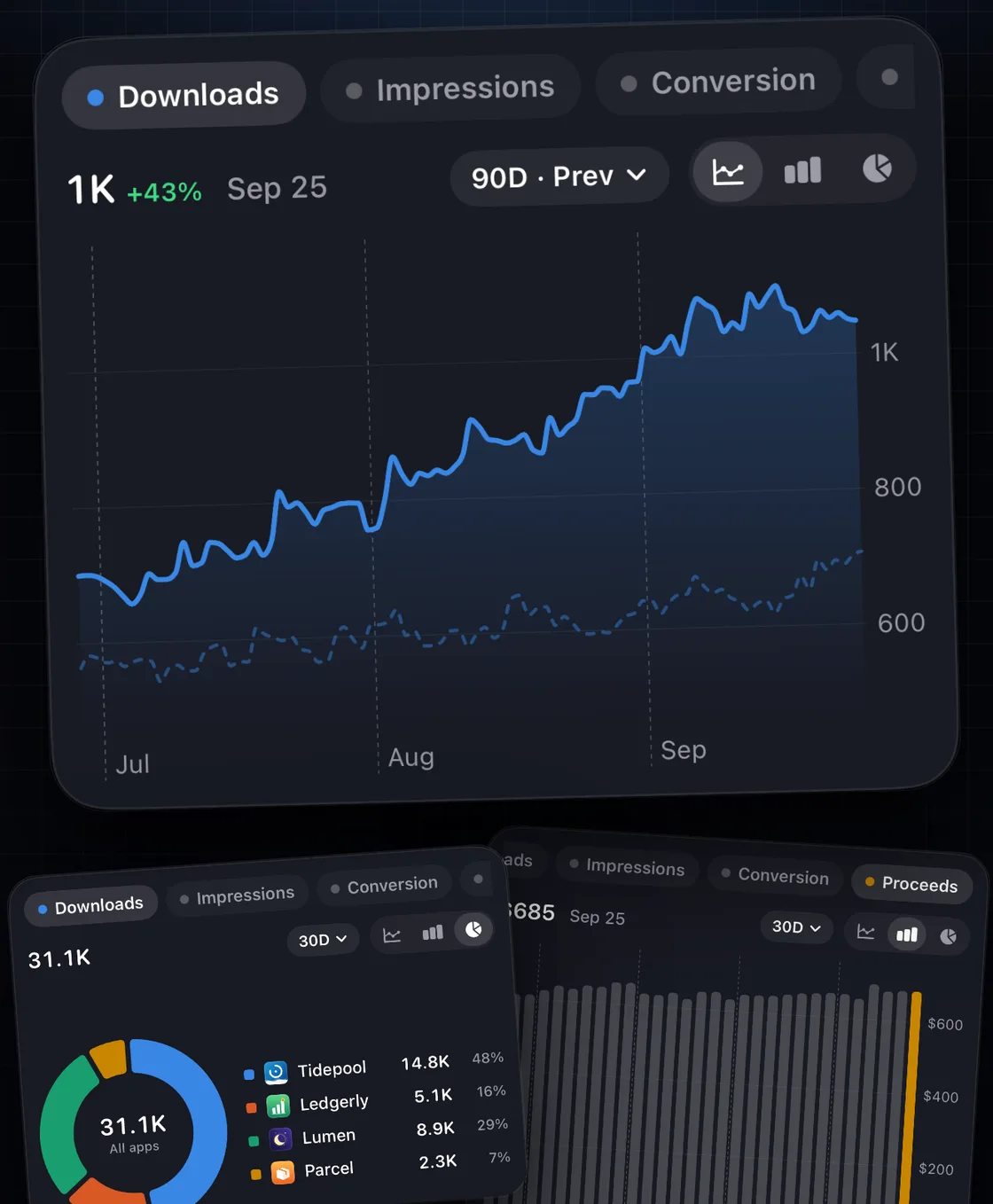
Figures spread across tables and tabs get opened once a week. A clean chart that compares this week with the last gets read every morning, and trends get caught while they are small.
Compare any range with the one before and scrub to any day.
- 04
Small moves are cheap to fix early
A keyword sliding from 4th to 9th, or a rival rewriting its subtitle, costs little to answer the day it happens. A month later it is a lost position you have to win back.
Rank moves and rival alerts, as they land.
- 05
Context turns a wait into a decision
Thirty hours in review means nothing on its own. Against today's median from every other developer, it tells you whether to keep waiting or ask for an expedited review.
Your build against today's review times.
- 06
Your money belongs next to your downloads
Revenue in a separate dashboard gets read separately, so a spike in installs never meets the question of whether it paid. Side by side, the answer is on the same screen.
RevenueCat pings and MRR, beside your downloads.
What clear looks like
Numbers you understand in a glance.
ASO Studio Connectreads your App Store Connect account and lays it out for a phone. Your key stays in your iPhone's Keychain.
- Every app on one board, with where each version stands right now.
- Downloads, impressions, conversion and proceeds, compared with the range before.
- Plain words for every status, and for every rejection.
Without opening a thing
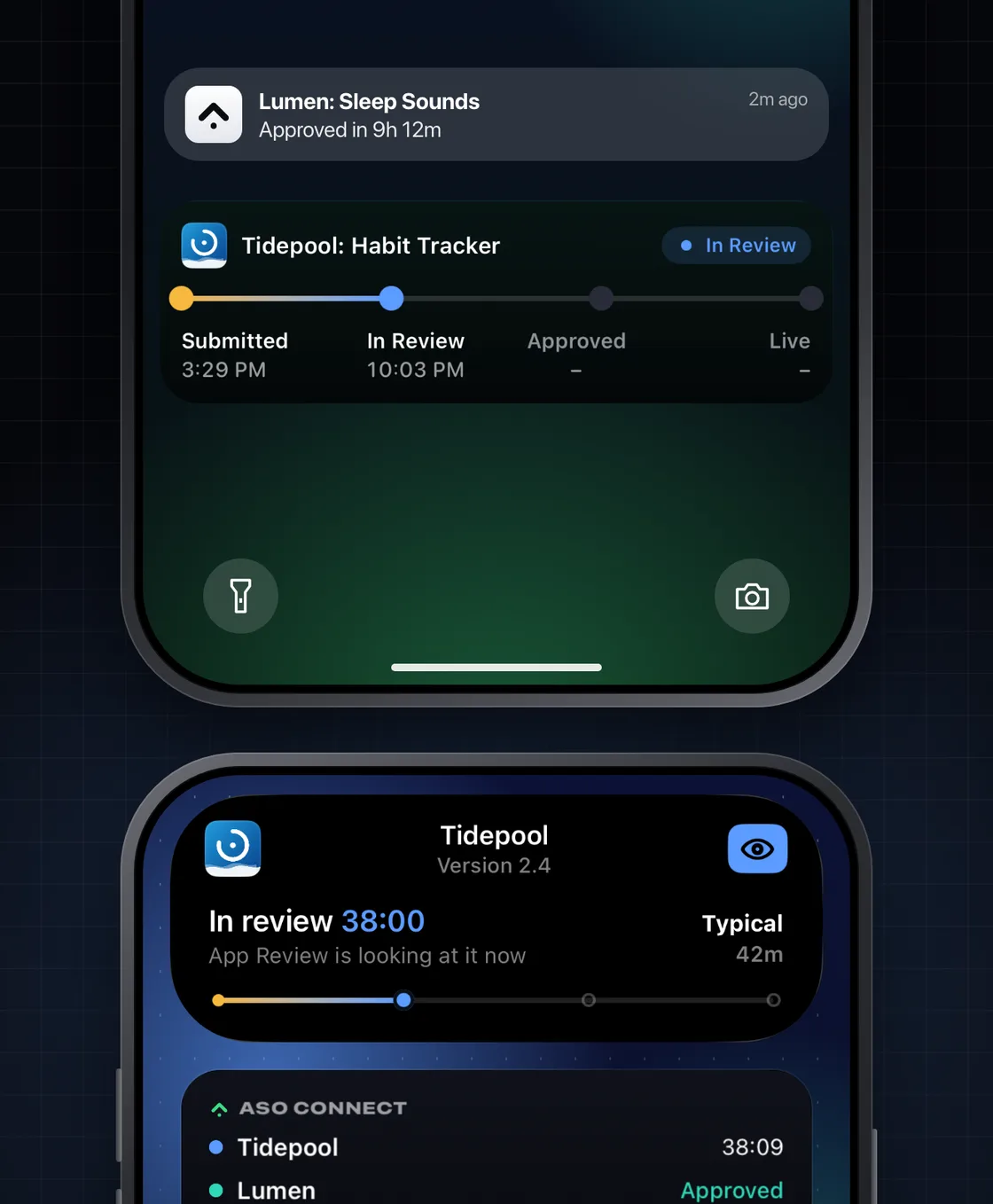
On your Lock Screen and Dynamic Island.
A live timer from Submitted to Approved, a push the moment a version moves, and a widget with every app's status.
Related questions
What people ask next.
Can I check my App Store Connect data on my iPhone?
Yes. ASO Studio Connect reads your App Store Connect account with your own API key, which stays in your iPhone's Keychain, and lays it out to read at a glance: every app and version with its review status, a live timer while a build is in review, daily downloads, impressions, conversion and proceeds by country, and your keyword ranks. It is a native app on iPhone and iPad.
How do I know the moment my app is approved?
ASO Studio Connect sends a push the moment a version changes status, on every plan. With Pro, a Live Activity runs on your Lock Screen and in the Dynamic Island from Submitted to Approved, so the timer is there without opening anything.
How long is App Review taking today?
ASO Studio Connect shows today's median wait and review time, measured from the status changes of every connected developer and pooled anonymously. The same figures are public at asostudio.app/tools/review-times.
What should I check on my phone every day?
Three things: the status of any build in review, yesterday's downloads against the same day last week, and whether any keyword you rank for moved more than a few places. Everything else can wait for your desk. ASO Studio Connect keeps all three a tap from its first screen.
Do I need the Mac app to use ASO Studio Connect?
No. ASO Studio Connect works on its own, with a free tier and Pro from $4.99 for a launch week or $39.99 a year. Every ASO Studio subscription for Mac includes Pro, so if you already use the Mac app, sign in with the same Apple account and Pro is on.